Schedule quality
Repair XER
Review fixes and write a corrected XER that imports back into P6.
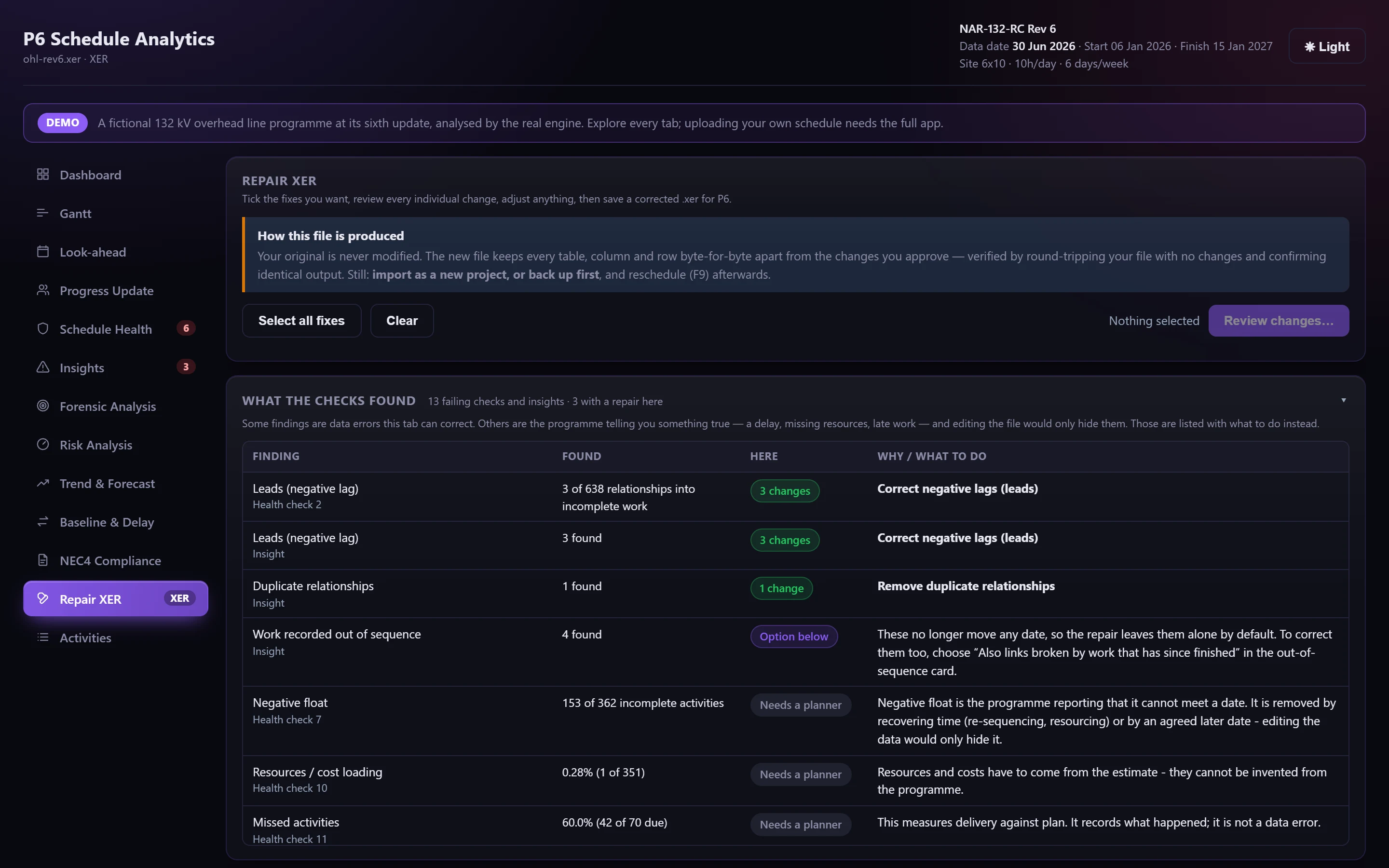
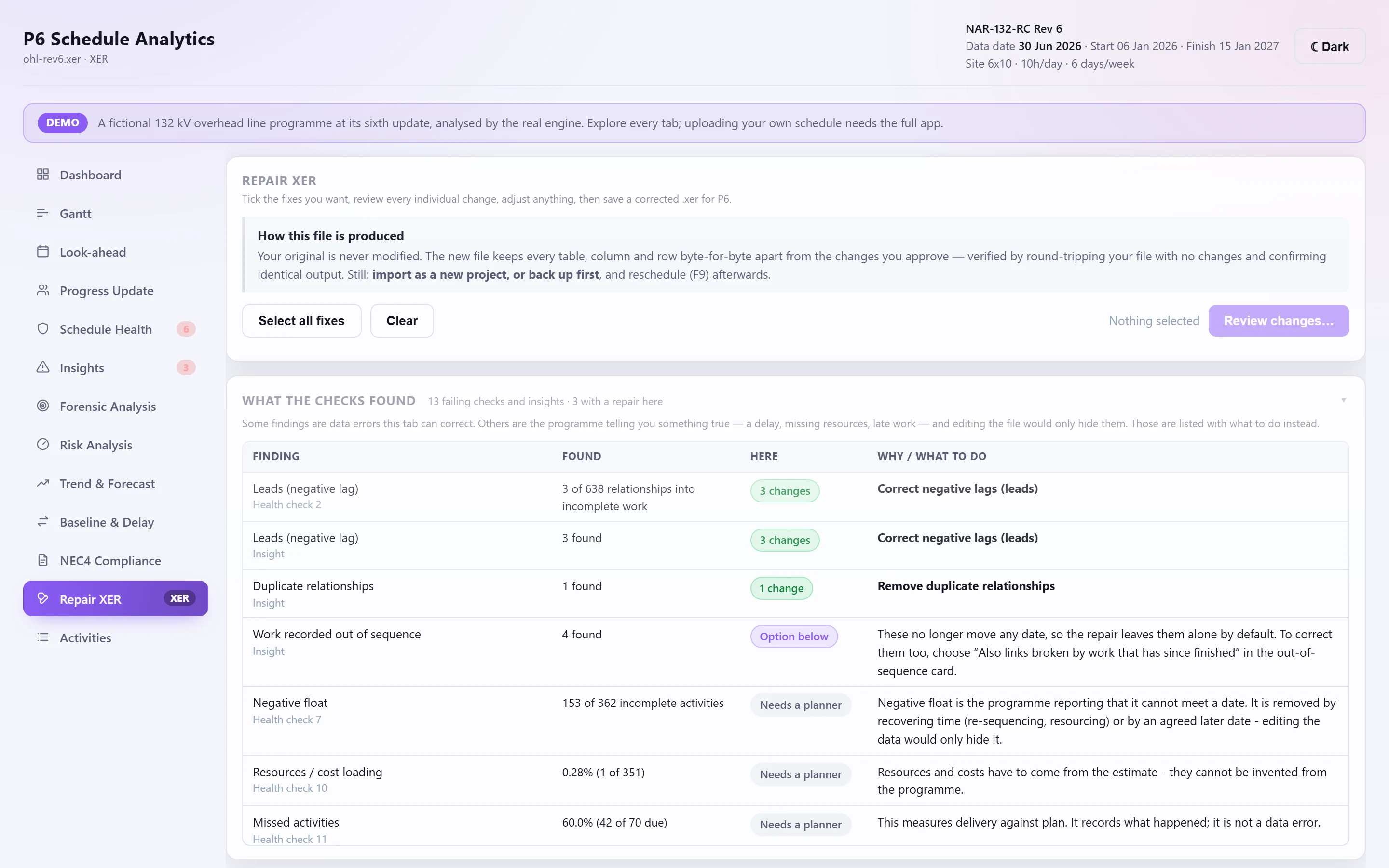
Repair XER fixes defects and writes a new XER that imports back into P6. Nothing is applied blind: you plan the fixes, review every change, edit any of them, and confirm before the file is written.
How it works#
Choose the fixes
Each fix says what it changes and whether it can move dates. Some carry options: a lead can become zero, a positive lag or a value you type; a hard constraint can be removed or relaxed to its soft equivalent.
Review every change
The proposed changes are listed row by row, keyed on the XER's own primary keys. Skip any row, or type your own replacement value.
Confirm and save
A summary lists everything before the file is written. You choose where to save it.
The fixes#
| Fix | What it does |
|---|---|
| Duplicate relationships | Removes the extra copies of the same link, keeping the first |
| Self-referencing logic | Removes links from an activity to itself |
| Out-of-sequence logic | Replaces an FS the progress broke with the SS and/or FF the actual dates still satisfy. By default only links still holding back open work |
| Dangling ends | Adds the partner link beside the one already there, never an FF to finished work its dates would contradict |
| Redundant relationships | Removes an FS already implied through another path, only when provably implied |
| Negative lags | Sets leads to zero, a positive lag, or a value you choose |
| Remaining duration on completed work | Clears remaining duration on finished activities |
| Hard constraints | Removes them, or relaxes them to their soft equivalent |
| Milestone durations | Sets milestones to zero duration |
What protects the file#
- The original is edited, never regenerated. Only the selected cells change; every table the app doesn't use is carried through untouched. An unchanged round trip of a real 28 MB export is byte-identical.
- Fixes that claim to move no date are proved. The programme is rescheduled with and without the change; if anything moves, the fix is dropped.
- Typed values are validated field by field.
- The written file is read back before you get it: same activities, every relationship pointing at a real activity, no new logic loop. If any of that fails, the file is refused with the reason.
What it won't touch#
Negative float, missing resources and missed work are the programme reporting something true. The tab lists every failing health check and insight, with either the fix that answers it or why it needs a planner instead. Fixes marked review will move dates once P6 reschedules, and the review step says which.
After importing the repaired file into P6, schedule it (F9) and export again to see the effect.